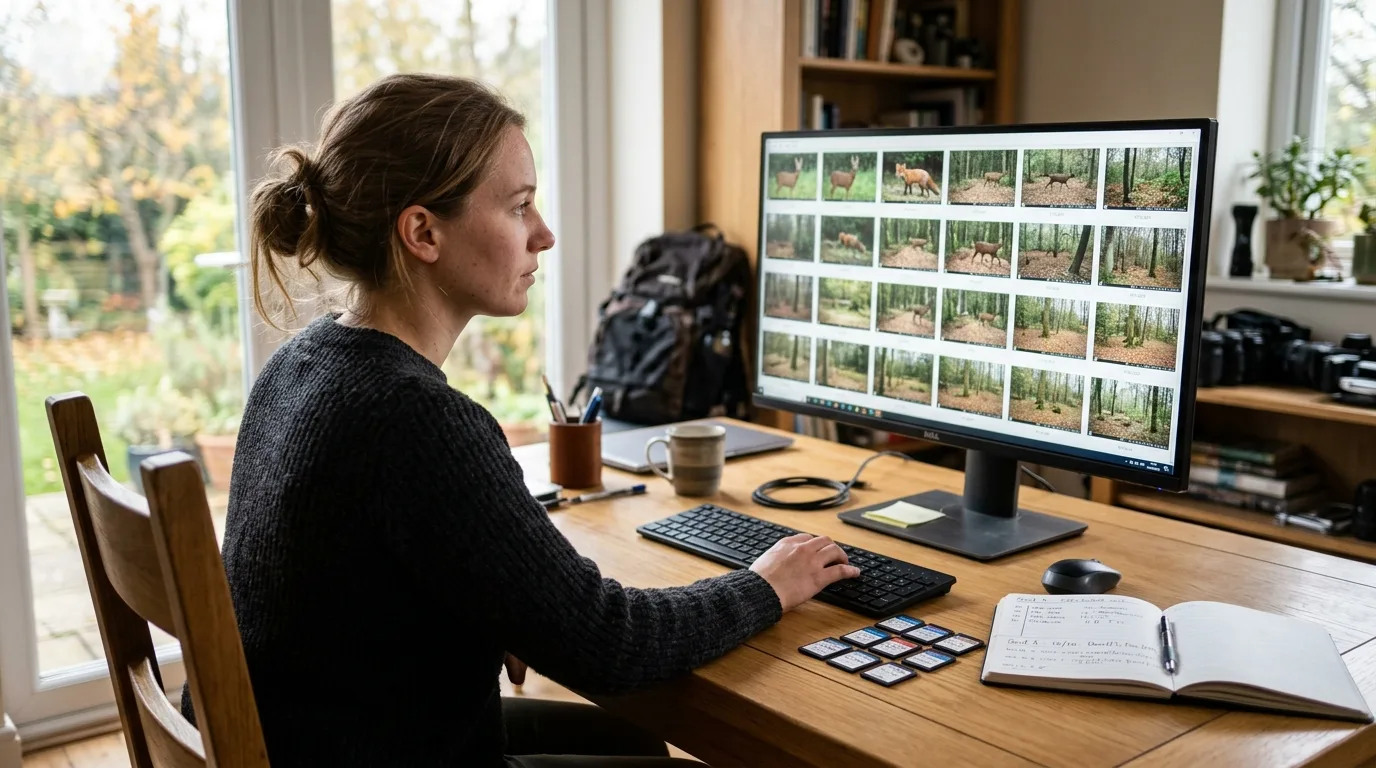
Here is the uncomfortable truth that nobody warns you about when you buy your first dozen cameras: the hard part of camera trapping isn't the trapping. It's everything that happens after the SD cards come home. A single project routinely accumulates from thousands of images per card into hundreds of thousands, even millions, of files. And the moment that pile exists, a clock starts ticking — because an archive you can't search, can't trust, and can't hand to anyone else is, for research purposes, barely an archive at all.
The people who study this for a living have a blunt way of putting it. Across the literature, the recurring finding is that data management, rather than data collection, is the limiting factor in the completion of camera trap studies. Cameras got cheap and reliable; the storage-and-tagging wall did not move. Cataloging lags behind acquisition, and "a large amount of data remains unused and ultimately lost for science and conservation management". One review found that across-site comparisons and meta-analyses are almost entirely absent from the literature — not because the data don't exist, but because everyone organized them differently, in their own private way, and nobody can combine them.
This article is about the step before analysis: how to lay out, name, tag, back up, and eventually share a camera trap photo archive so that it survives the project, survives staff turnover, and stays useful to you and to anyone you collaborate with. It is not about where to put your cameras, and it is not about turning timestamps into activity curves — those are their own jobs From Timestamps to Animal Activity Patterns: A Camera Trap Workflow. Think of what follows as the plumbing. It's unglamorous, it's where most projects quietly leak value, and getting it right is almost entirely a matter of decisions you make in the first hour, not the last.
Why this is the bottleneck, and why "I'll sort it later" fails
It helps to understand why this step swallows projects, because the reasons tell you what to defend against.
The first reason is raw volume colliding with manual labor. Retrieving, storing, organizing, and — most painfully — identifying the contents of each image is still largely done by hand, and image classification is consistently rated the single biggest challenge in camera trapping. The work is "laborious, time-intensive, error-prone, and expensive". When the labor can't keep pace, the backlog grows, and a backlog of un-cataloged images is functionally a backlog of lost data.
The second reason is that manual handling breeds error, and errors in an archive are corrosive in a way they aren't in a single spreadsheet. There's a lovely, concrete number for this from a behavioral study in Namibia that managed roughly 1.2 million photographs from 26 cameras over three years: before the team automated their file handling, human mistakes — mislabeled folders, copies sent to the wrong place — accounted for 15.5% of their data outages; after they let software manage the downloads, that dropped to 6.2%. Same people, same cameras. The difference was structure.
The third reason is the one that costs the field the most: fragmentation. Because most projects only ever cared about their own target species and built their own ad-hoc system, the result is what one widely-cited paper calls "dark data" — data not available to other researchers or the public, locked in a program-specific format and stored on someone's local drive. Camera traps are indiscriminate; they photograph everything that trips the sensor. If you only catalog the deer and toss the rest, you've thrown away data that another team — studying the foxes, or the people, or the interactions between them — would have killed for. The fix is to catalog all of it, consistently, the first time.
So "I'll sort it later" fails for a simple reason: later is when the volume is largest, the memory of which camera was where is faintest, and the cost of every error is multiplied across the whole collection. The discipline has to be front-loaded. The good news is that the front-loaded version isn't much work — it's mostly a handful of conventions, applied from day one. Cameras got cheap and reliable; the storage-and-tagging wall did not move, and the only way over it is to build the habits in before the pile exists.
Cameras got cheap and reliable; the storage-and-tagging wall did not move.
Folder structure: organize by deployment, copy off the card as-is
Start with the folders, because everything else hangs off them.
There is striking agreement across the field on the core principle, even though the tools differ: organize media into one directory per deployment — a deployment being a single placement of a camera at one spot for one stretch of time — and do not rename the files as they come off the card. The GBIF best-practices guide states it almost as a commandment: "Avoid renaming media file names. Rather, organize media files in one directory for each deployment".
Why so adamant about not renaming? Because of how filename uniqueness actually works. Most cameras name files with a short sequential counter (`IMG_0001.JPG`, `PICT0001.JPG`), and those names are only guaranteed unique within one card. Pull images from three cameras into one folder and you'll collide three `IMG_0001.JPG` files immediately. Keeping each deployment in its own directory sidesteps the whole problem, and it means you can copy a card's contents across exactly as they are — no transformation, no opportunity to introduce an error. The Aardwolf authors built their entire three-level scheme (project → camera → download-operation folder) around this insight: "this physical structure also ensures copying of directories from a camera trap storage card can be done as-is".
The R toolkit camtrapR formalizes a closely related layout. For a survey with one camera per station, you get `rawImages/stationA`, `rawImages/stationB`, and so on; with more than one camera per station, you add a level: `rawImages/stationA/camera1`, `rawImages/stationA/camera2`. And it ships with a warning worth tattooing somewhere visible: "If you have more than 1 camera per station but don't separate the images from different cameras at this stage, you will not be able to do so at a later point". Merge them now and the provenance is gone for good. This is the recurring theme of the whole topic — some information can only be preserved at the moment of ingestion, never reconstructed.
Two more habits round this out. First, keep your raw images as an untouched backup and do your work on a copy — camtrapR's renaming function deliberately copies images to a new location so the originals are never at risk. Second, don't store anything but images inside your image directories; stray files can interfere with the tools that scan those folders.
How deep should the hierarchy go? Borrow the rule of thumb from the research-data-management world, which has thought about this longer than camera trappers have: restrict folders to three or four levels deep, and try not to have more than about ten items in any one list, keeping data and documentation in separate branches. A camera trap project lands here naturally — project, then site or deployment, then card — without anyone having to force it.
Some information can only be preserved at the moment of ingestion, never reconstructed.
Naming conventions: lead with the date, never the species
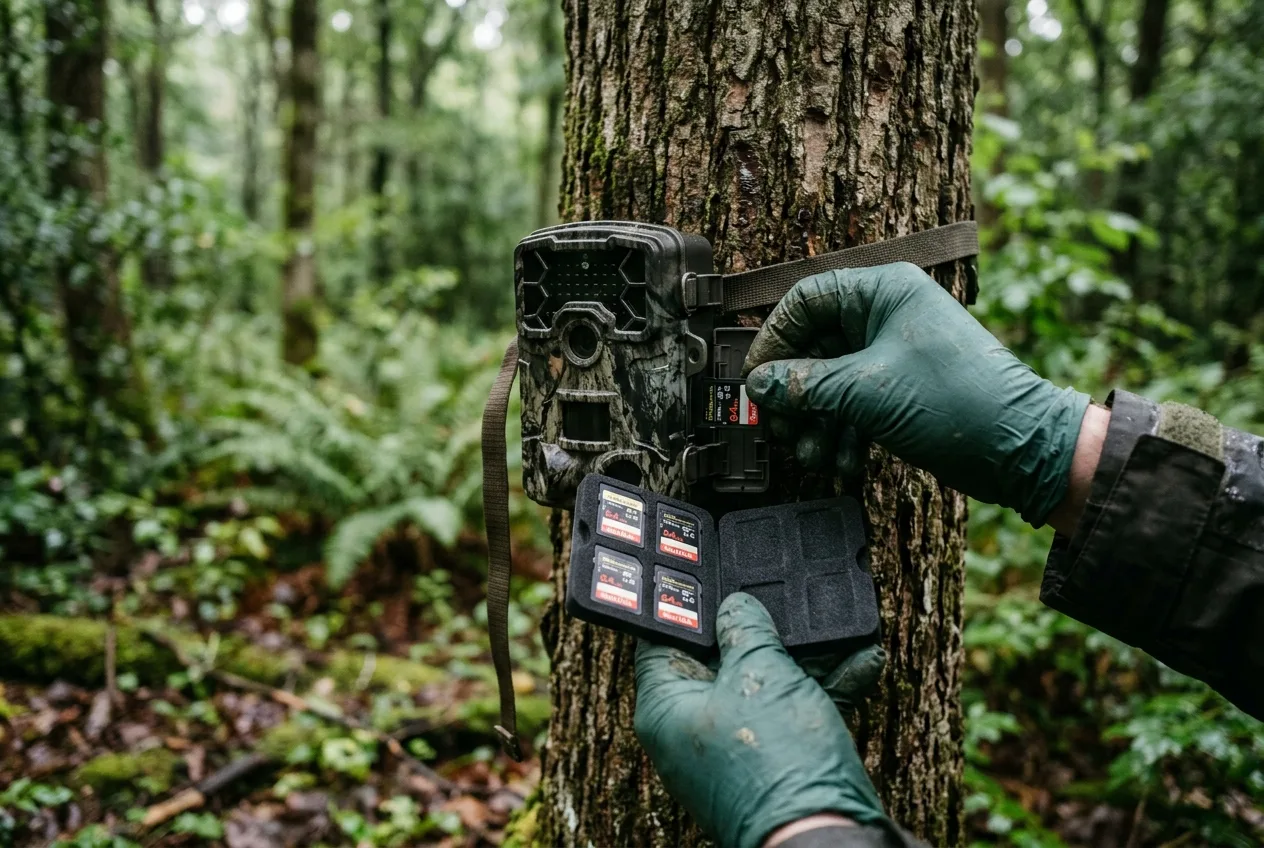
If you do rename files — and there are legitimate reasons to, mainly to make them self-describing once they leave the safety of their folders — there's a right way and several wrong ways.
The single most important rule is to make alphabetical order match chronological order. The clean trick is to start the name with the date, `YYYYMMDD`, or the date and time, `YYYYMMDD_HHMMSS`. The GBIF guide gives the worked examples directly: `20200709_093352.JPG` is good, because it sorts correctly; `09072020_093352.JPG` is bad, because day-first naming scrambles the chronological order the moment you have more than one month of data. This isn't pedantry — half the tools you'll ever use assume that file order reflects time order, and a camera that names files `1.jpg, 2.jpg … 10.jpg` will be read by your computer as `1, 10, 2 …`, quietly breaking that assumption.
The generic data-archiving guides agree and add the housekeeping details: use dates in ISO `YYYY-MM-DD` form, separate elements with hyphens or underscores, avoid spaces and special characters like `&`, `?`, or `!`, keep names meaningful but brief, reserve the three-letter extension for the file format, and include a version indicator where it matters. camtrapR's own naming scheme is a concrete instance of all this: it renames to `StationID__Date__Time(X).JPG`, where the `(X)` disambiguates images taken in the same minute, and it reserves double underscores as field delimiters — so your station and camera IDs must not contain underscores themselves.
There is one rule here that camera trappers violate constantly, and it deserves its own line: do not store classification information in the filename. It is tempting to rename a photo `..._Ardea_alba_1_Anas_platyrhynchos_male_female.jpg` so you can find it later. Don't. The GBIF guide flags exactly this as bad practice. The reason is that an identification is not a fact about the file; it's an interpretation, and interpretations get revised. Bake "red fox" into a thousand filenames and then discover half were gray fox, and you now have a thousand renaming operations and a broken audit trail. Tags belong in metadata, where they can be corrected without touching the file's identity — which is exactly where we're headed next. (camtrapR can append a species name to a filename as a convenience for browsing, but note that it reads that species ID from your folder structure or your metadata tags in the first place; the identification lives elsewhere, and the filename is just a copy of it.)
When you do need to rename in bulk, you don't do it by hand. Dedicated batch-rename tools exist for every platform, and the metadata utility ExifTool can rename files from their own metadata — pulling the capture date straight out of each image to build the new name — along with batch metadata edits, geotagging, and date/time correction.
Tagging and annotation: agree the schema before you touch an image
Now the part everyone thinks of as "the work": going through images and recording what's in them. This step is called tagging — examining each image and encoding its attributes of interest as data — and it's where the largest, most expensive, and most preventable mistakes happen.
The deepest lesson here comes from a paper distilling eight years of building the Timelapse image-analysis tool, and it is not a tip about software. It's about a decision you make before the software: specify and deploy a common data schema. Before anyone tags anything, the project lead should decide exactly what data will be recorded from the images, define it as a standardized, computer-readable schema — the fields, their names, their data types, their allowed values — and then have the software enforce it. The reason is the multi-tagger problem. A real project has multiple people (often including volunteers) each working through a slice of the images, and "without data consistency — if each analyst idiosyncratically specified what data should be encoded from images, in what format, and under what name — it would be extremely difficult to make sense of the data across analysts". Agree the schema first, or spend the rest of the project reconciling ten dialects of the same dataset.
A concrete, citable template for that schema is the four-table layout that organized projects converge on, captured nicely in a teaching example built around a Canadian dataset: a project table (objectives, design, who's in charge), an image/observation table (species, count, age/sex, behavior, timestamp, per image), a deployment table (location, start and end, camera, height, orientation), and a camera inventory (make, model, serial). Each unique camera placement gets its own deployment record. This is the same skeleton the formal standards use — more on those shortly — and even if you never publish, laying your data out this way from the start means you're keeping the right things in the right places.
Beyond the schema, the eight-years-of-Timelapse paper is a catalogue of hard-won efficiency patterns, and they're worth knowing because they separate a workflow that takes a season from one that takes a year. The same team measured roughly 200% time improvements over analysts using a plain spreadsheet. A few of the patterns that matter most:
- Minimize typing. Typing is slow and error-prone; replace it with selection wherever possible — dropdowns for species, checkboxes for flags, autocomplete that offers your previous entries.
- Count by clicking, and mark what you've counted. When an image holds a herd, miscounting is easy — losing your place, double-counting, skipping one. Letting the tagger click each animal to increment a counter and drop a visible marker fixes all three error modes at once and lets a second person verify the count later.
- Auto-fill anything the computer already knows. File name, folder, and capture date/time should be populated automatically, never re-typed. Many cameras also embed extras — ambient temperature, sometimes GPS — that can be pulled straight from the image metadata into your data fields.
- Group bursts into episodes. A motion trigger often fires a burst, and one animal lingering produces many near-identical frames. Grouping images taken within a short interval into a single "episode" lets the tagger record the event once instead of inflating the counts — the tool can flag the first frame of each episode and number the rest.
- Propagate repetitive values. Across a run of similar images, the data are often identical; copy-forward, back-fill, and copy-to-all controls turn a hundred identical entries into one.
These aren't luxuries. Poor tooling choices mean "tedious data entry... error-prone (which affects the validity of the collected data)... and — in the long run — are very expensive in terms of analyst time". Incidentally, this is the most honest way to think about software in general for this task: the field's own survey of available programs found that no single tool has emerged as a clear favorite, and a major best-practices report concluded much the same — many large projects "have ended up designing their own systems from scratch," and you may need to test several before one fits your workflow. There's no universal right answer; there's the schema discipline, and there's matching the tool to how your people actually work.
Agree the schema first, or spend the rest of the project reconciling ten dialects of the same dataset.
Where the tags live: EXIF, IPTC, XMP, and sidecar files
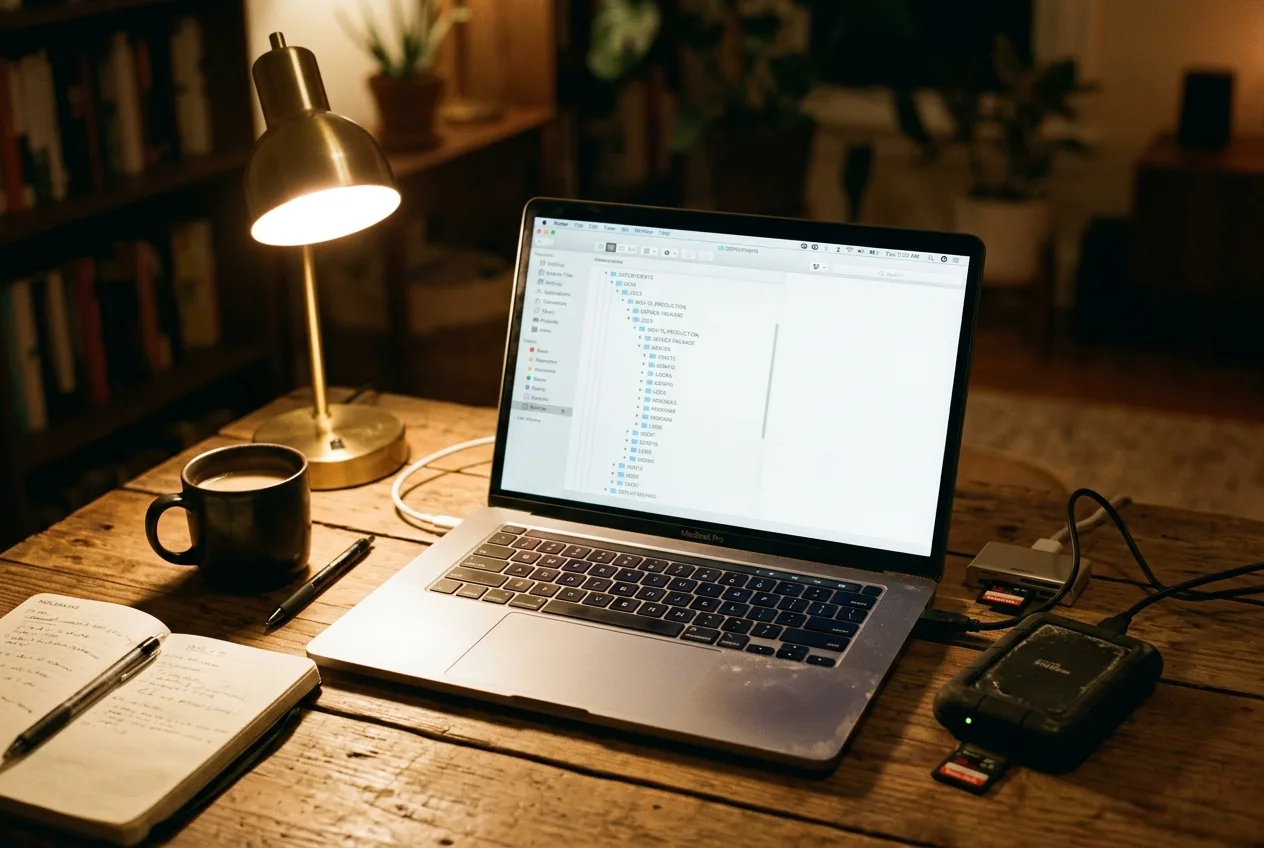
So you've tagged a species onto an image. Where does that tag physically go — and will it still be there when you copy the folder to a colleague's machine a year from now?
This is where it pays to understand the three metadata standards that live inside (and beside) an image file, because they do different jobs:
- EXIF is what the camera writes at the moment of capture — date and time, plus settings like shutter speed, exposure, ISO, and flash status. You generally don't edit it; you read it. The date-and-time field (`DateTimeOriginal`) is the crown jewel here, and we'll come back to why.
- IPTC is for post-capture text you add yourself — author, copyright, captions, and crucially keywords. Its catch is that its text fields are length-limited.
- XMP is the modern evolution of IPTC. It "removes the limitations of text size" and supports multiple languages, which is why the tooling generally recommends giving XMP top priority for tags and captions.
The point that makes all three matter for an archive: keywords and tags can be written directly into the image's own metadata, through the IPTC and XMP fields. That means a species tag — "red fox," or a whole hierarchical subject like Mammalia > Carnivora > Vulpes > Vulpes vulpes — can be stored inside the photo, so it travels with the file. As one metadata tool's documentation puts it plainly: "Storing metadata directly in image files allows this information to be preserved when moving or sending image files to different systems". That is the whole game. A tag in a separate database that gets left behind in a copy is a tag you've lost; a tag embedded in the file is a tag that survives the journey.
There's a subtlety worth knowing, especially if you shoot any RAW or video. You can't always write metadata back into the original file — RAW formats are often read-only, and video tagging is poorly standardized. The answer is a sidecar file: a small companion file (named `filename.ext.xmp`) that holds the metadata alongside the image, used either on its own or in addition to writing inside the file. So the practical choice is configurable — write tags into the image, into a sidecar, or both — and the right setting depends on your file types.
A pragmatic, much-used hybrid is to store tags in two places at once: embedded in the image (or its sidecar) so they're portable, and also in an external database for fast searching — treating the database as a cache and the files as "the single source of truth". That way you get speed when you query and durability when you move.
Underneath nearly all of this sits one small, unglamorous, indispensable tool: ExifTool, Phil Harvey's free, platform-independent utility for reading, writing, and editing metadata across hundreds of formats, including EXIF, IPTC, and XMP. It's the engine the research toolkits lean on — camtrapR, for instance, depends on it for every metadata operation and won't do much without it. You may rarely call it directly, but it's almost certainly doing the work behind whatever you do use.
One honest note on how the species-tag-in-metadata workflow actually gets wired together in practice, because the tools split the labor in a way that surprises people. A general photo-management application is typically what writes the species keyword into the image metadata in the first place (via its keyword/subject fields), and the R toolkit then reads those embedded tags back out — camtrapR can pull a species ID from the `HierarchicalSubject` metadata tag that a tagging app wrote — to assemble its record tables. The identification originates in the tagging tool; the metadata field is how it's stored and handed onward.
A tag in a database that gets left behind in a copy is a tag you've lost; a tag embedded in the file is a tag that survives the journey.
The timestamp deserves special paranoia
Among all the data attached to an image, one field is uniquely unrecoverable, and it's worth pulling out of the metadata discussion to stress on its own.
The GBIF guide is unambiguous: the date and time a photo was taken "is the most important aspect of its metadata... and cannot be derived later" — in contrast with, say, the camera's location, which you can always look up after the fact. Get the timestamp wrong and there is no second source to fix it from. The Timelapse team, after eight years of watching this go wrong, catalogued the four classic failure modes: a camera whose clock was simply never set correctly (everything off by a fixed amount); a camera that doesn't handle the summer-time clock change (a chunk of images off by an hour); a clock that drifts slowly fast or slow over a deployment; and a camera recording dates ambiguously, like `02/10/2019`, which could be February or October depending on the convention.
Two upstream habits prevent most of this, and both are locale-neutral by design. First, set the camera's clock to Coordinated Universal Time (UTC) or to local winter time, and disable the automatic switch to summer time — then record the deployment's time zone separately. The reason this beats "set it to local time" is that summer-time switching is the silent saboteur: it puts a hidden one-hour seam through half your records, and a clock fixed on UTC or winter time simply has no seam to trip over. Second, when you export or name files, write times in an unambiguous order — date first, `YYYY-MM-DD` or the full ISO timestamp — so no one downstream has to guess whether `02/10` is February or October.
If you discover after the fact that a deployment's clock was wrong by a known amount, it's recoverable in bulk — the tooling can shift the timestamps of every image in a folder by a fixed offset, which is the right way to handle, for example, the firmware bug a major manufacturer shipped that scrambled the year on its cameras at the turn of 2015/2016. Back up the images first, then correct. The deeper point stands: a clock error caught at ingestion is a five-minute annoyance; the same error caught never is a permanent fiction in your dataset.
Clearing the blanks: AI pre-filtering
Here is the part of the workflow where the volume problem and modern tooling finally meet in your favor.
Camera traps fire on heat and motion, which means they fire on wind-blown branches, swaying grass, rain, shifting sun, and warm air as readily as on animals. The result is that a large majority of frames in a typical deployment contain no animal at all — they're blanks. (You'll see a specific "70–95% empty" figure quoted around the field; treat it as folklore unless your own data say otherwise, because it isn't pinned to a single solid source. What is well-established is the qualitative reality: the blank frames usually dwarf the useful ones, and reviewing them by hand is the great time-sink of the whole enterprise.) Wading through them manually is exactly the "boring" labor that swallows analyst hours.
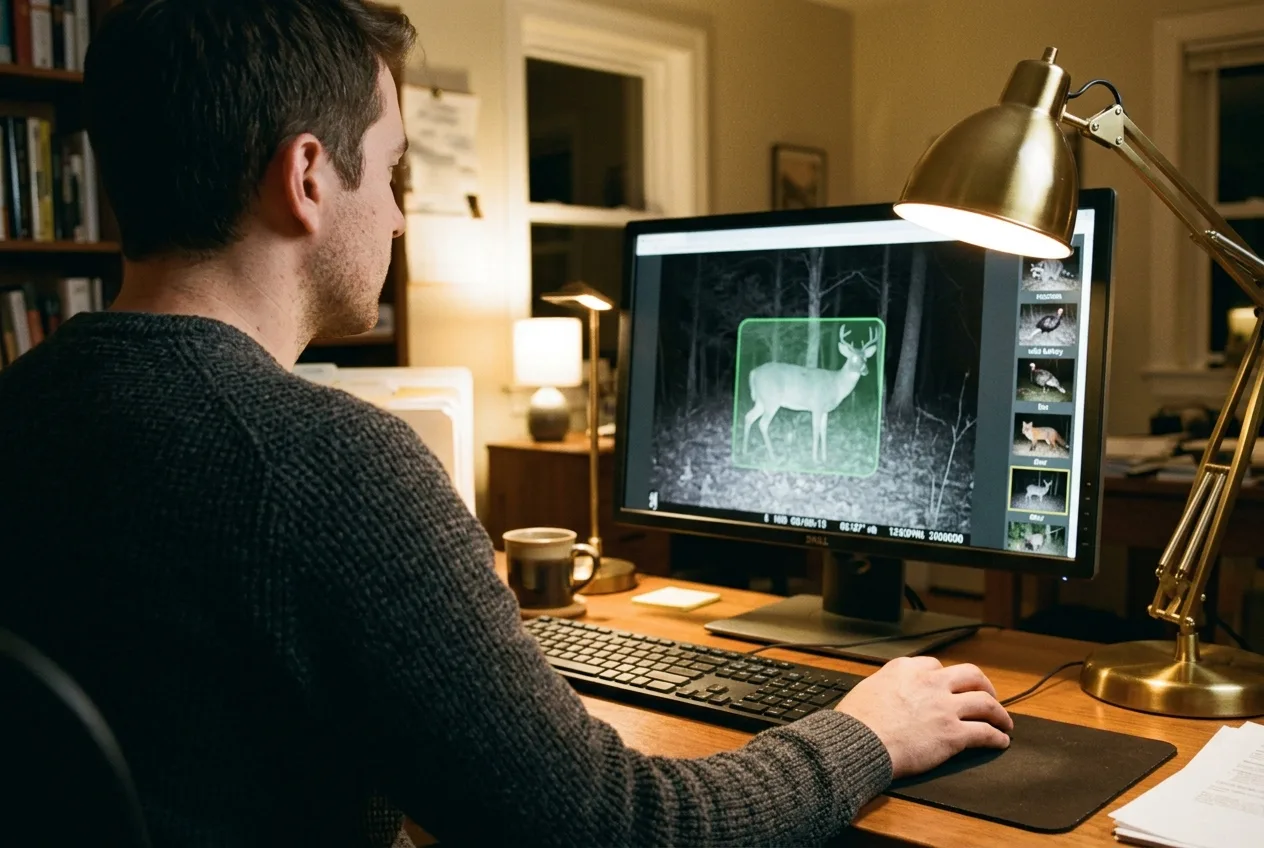
The standard tool for cutting through it is a detector model — most prominently MegaDetector, the open-source model from Microsoft's AI for Good Lab. It does one job and does it broadly: it "detects animals, people, and vehicles in camera-trap imagery and filters out blank images, reducing manual review across large datasets". Trained on several million images from many ecosystems, it has been picked up by well over a hundred organizations worldwide, from national wildlife agencies to university labs across multiple continents. Crucially, you understand its scope: MegaDetector finds animals; it does not identify them to species. It's a coarse but ruthless first pass — animal / person / vehicle / nothing — that lets you set the empty frames aside and spend your real attention on the frames that actually contain something. The detector's coordinates and confidence then flow into a tagging tool, which draws a box around each detection and lets you accept, reject, or species-label it.
A note on what this buys you and what it doesn't. A detector clears blanks; it does not do your species identification, and even when paired with a species classifier, the accuracy of computer vision still trails a human expert — so the durable recommendation across the field is AI-assisted pre-filtering plus human verification, not blind automation. Used that way, it changes the arithmetic of a project: instead of a person opening every one of a few hundred thousand images, they open the fraction that a detector flags as non-empty, and verify from there.
A detector clears blanks; it does not do your species identification — pair it with a human, not with blind faith.
Backup and storage: assume a drive will die, because one will
An archive is only as durable as its worst single point of failure, and in camera trapping that point is usually a hard drive sitting on one desk.
The volume that makes everything else hard makes backup non-trivial too: it is "not trivial to securely store, backup and manage media files" at this scale. The standard guidance is to use cloud services or well-managed institutional storage, accepting that this comes at a real cost, and — where you can — to use a storage system that can serve files over stable web addresses, so that a published dataset can reference the images directly rather than shipping copies of everything. The generic data-management guides reinforce the obvious discipline that camera trappers skip at their peril: deliberate backup, not just "it's on my laptop".
Two design choices from the tooling are worth stealing even if you never touch the tools themselves. The first is the files-as-source-of-truth model already mentioned: keep the authoritative data in the image files (and their sidecars), and treat any database as a rebuildable cache. If the database corrupts, you regenerate it from the files; you never lose the actual observations. The second is separating logical organization from physical location — letting one project's data span several drives or a network share while still presenting as a single clean hierarchy — which is precisely how a minimalist system scaled to over a million photos on commodity hardware.
The throughline is to stop trusting any single device. Drives fail, cards corrupt, and the Namibia study's blunt tally of physical failures — rain damage, dead batteries, card failures, destruction by wildlife — is a reminder that the field is hostile to your data long before it reaches a computer. Redundancy isn't optional; it's the price of keeping a multi-year archive alive.

Data standards: speaking a language other people can read
Everything so far makes your archive usable to you. Standards are what make it usable to everyone else — and, increasingly, to your own future self and the machine-learning models you might train later.
Two standards dominate, and they nest neatly.
Camtrap DP (the Camera Trap Data Package) is the purpose-built one. It's a community-developed exchange format, managed under the Biodiversity Information Standards body (TDWG), that structures a whole project into three linked tables — Deployments, Media, and Observations — plus a metadata file describing the package. It was designed precisely because, while processing camera-trap "Big Data" had become tractable, "harmonization and exchange of the data remain limited, hindering its full potential". It supports the full range of how people actually work — human and AI classification, image-based and event-based — and it builds on an existing open data-packaging spec so that standard software can validate it automatically. It is, in effect, the modern successor to an earlier camera-trap metadata standard that first defined the now-ubiquitous four-level hierarchy of Project → Deployment → Image Sequence → Image and the convention of grouping images taken within 60 seconds into one sequence.
Darwin Core is the broader biodiversity standard that camera trap data can also flow into. It's "a set of terms having clearly defined semantics that can be understood by people or interpreted by machines," ratified as a standard in 2009 and used to share hundreds of millions of biodiversity records across hundreds of organizations and dozens of countries. Its terms are organized into classes covering things like event, location, occurrence, and taxon; a camera trap observation maps onto the Occurrence class. Because it's deliberately simple and technology-independent, the same data can be expressed as CSV, XML, JSON, or other encodings.
How do you choose? The practical guidance is clear: for camera trap data specifically, Camtrap DP is preferred because "it is specifically designed for this type of data and can retain more information than a Darwin Core Archive," while a Darwin Core Archive is the route when you want to slot into the wider biodiversity-data world. And the two aren't rivals — there's an R package whose entire job is to read a Camtrap DP and convert it to Darwin Core (and to EML), which is exactly the bridge a public repository uses to ingest camera-trap packages. You can work in the camera-trap-native format and still publish into the general one.
One framing that this whole standards discussion makes locale-neutral and worth internalizing: store the scientific name, even if you only ever show people the common one. Common names drift across regions and languages and sometimes point at different animals entirely — "elk" means one species in North America and a different one in Europe — whereas the scientific name is globally consistent and unambiguous. Keep a single reference table of the species you expect, sourced from an authoritative taxonomy, and store the scientific name as the anchor. It's a small habit that saves an international collaboration from a category of confusion that is genuinely hard to untangle after the fact.
Sharing and archiving: turning a private folder into a public asset
The last step — and the one that distinguishes a research archive from a personal shoebox — is publishing the data somewhere others can find and reuse it.
The destination, in the research world, is typically a public biodiversity repository reached through a standard publishing pipeline; the Global Biodiversity Information Facility (GBIF) is the major one, and you publish to it by first standardizing your data into Camtrap DP or Darwin Core. The guiding goal has a name — FAIR data: findable, accessible, interoperable, reusable — and the recipe is concrete: deposit the data in a repository that gives it a stable unique identifier, attach rich metadata so others can judge whether it fits their needs, add an open license so they're allowed to use it, and standardize the format so it actually combines with other datasets. The strong recommendation is to publish one dataset per project, which keeps the scope, methods, and contributors describable in one coherent place.
Before anything goes public, two preparation steps matter. First, stable, unique identifiers for your records — ideally the ones your management system already assigned, used as-is rather than tinkered with, since appending bits to an identifier just makes it fragile. Second, handle sensitive information by generalizing, not deleting. Camera trap data carries three kinds of sensitivity: the locations of rare or endangered species (which can attract poachers), the locations of your own cameras (theft and vandalism), and personal data — the names of participants, and any images of identifiable people, which fall under privacy regulations like GDPR. The recommended approach is to blur a sensitive species' coordinates rather than withhold the record entirely, to keep images of people private, and to document whatever generalization you applied so users know what they're looking at. The citizen-science world has long done versions of this: masking the location of threatened and endangered species so public data points resolve only to a project's center, and offering data embargoes so a team gets first crack at publishing before the data open up.
It's worth saying plainly why you'd bother sharing at all, because it's easy to treat publication as bureaucratic overhead. The entire reason the "dark data" problem matters is that camera trap data shared in a consistent format is reusable far beyond its original purpose — for species distribution modeling, for biodiversity monitoring, even as training data for the next generation of detection models. The data you collected to answer one question may, properly archived and shared, help answer a dozen you never thought to ask. That's the whole argument for doing any of this carefully: an organized, standardized, openly-published archive doesn't just survive your project — it outgrows it.
The data you collected to answer one question may, properly archived, help answer a dozen you never thought to ask.
A minimal workflow, start to finish
If you want the whole thing as one sequence, here's the spine that the sources collectively describe — adapt the tools, keep the order:
- Ingest by deployment. Copy each card into its own per-deployment folder, unrenamed; keep the raw copy untouched as a backup.
- Fix the clock first. Verify timestamps; if a deployment's clock was off by a known amount, bulk-shift it now, before anything else reads those times.
- Decide the schema. Define your data fields and allowed values up front and have your software enforce them across every tagger.
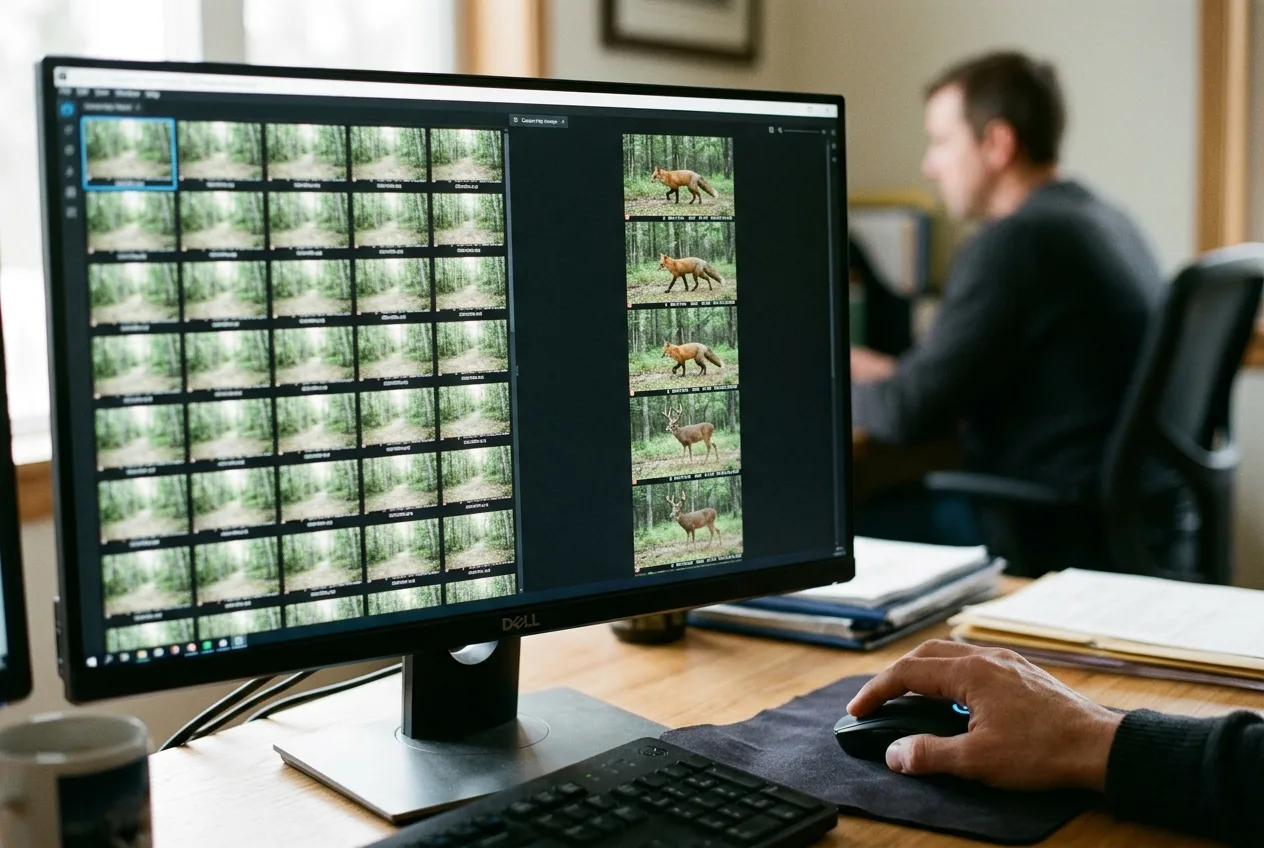
- Pre-filter the blanks. Run a detector to set aside empty frames so human attention goes only to images with something in them.
- Tag efficiently, into metadata. Identify and annotate using selection over typing and episode-grouping over frame-by-frame, and store the tags in the image's own EXIF/IPTC/XMP (or a sidecar) so they travel.
- Back up redundantly. Cloud or institutional storage, plus the discipline that the files — not any one database — are the source of truth.
- Standardize and share. Export to Camtrap DP (or Darwin Core), generalize anything sensitive, and publish one dataset per project to a public repository.
None of these steps is hard. Several of them are impossible to do later. That asymmetry is the entire reason to take the boring step seriously: the archive you can hand to a stranger in five years is built, or lost, in the first hour after the cards come home.
Frequently asked questions
How should I organize camera trap photos into folders?
Make one folder per deployment — a single camera placement for a single stretch of time — and copy each memory card's contents into it without renaming the files. This keeps file names from colliding across cameras, preserves the link between a photo and where it came from, and lets you copy cards across exactly as-is. Keep the folder hierarchy to three or four levels deep, and never merge images from two cameras at a station unless you're certain you'll never need them separated.
Should I put the species name in the filename?
No. An identification is an interpretation that may be revised, so it belongs in metadata, not in the filename — the GBIF best-practices guide explicitly lists species-in-the-filename as bad practice. Instead, lead filenames with the date (`YYYYMMDD_HHMMSS`) so they sort chronologically, and write species tags into the image's IPTC/XMP keyword fields, where they can be corrected without renaming anything.
What's the best file format or standard for sharing camera trap data?
For camera trap data specifically, Camtrap DP is the preferred publishing standard, because it's purpose-built and retains more information than the alternative; Darwin Core is the broader biodiversity standard to use when you're feeding the wider data ecosystem. They're compatible — tooling exists to convert a Camtrap DP package into Darwin Core for publishing to a repository like GBIF.
Do species tags stay with the image if I move the file?
Only if you embed them in the image's own metadata (or a paired sidecar file). Tags written into the IPTC or XMP fields are preserved when the file is copied or sent to another system; tags kept only in a separate database are left behind when you move the image. A robust setup stores them in both places — in the file for portability, in a database for fast searching.
How do I deal with the huge number of empty photos?
Use an AI detector to pre-filter them. A model like MegaDetector flags whether each frame contains an animal, person, or vehicle and sets aside the blanks, so you only review images with something in them — though it doesn't identify species, so pair it with human verification rather than trusting it blindly. The large majority of frames in a typical deployment are usually empty, which is why this single step saves the most time.
What clock setting should I use on my cameras?
Set the clock to Coordinated Universal Time (UTC) or local winter time, disable the automatic switch to summer time, and record the deployment's time zone separately. The timestamp is the one piece of metadata you can't reconstruct later, and summer-time switching silently puts a one-hour error through part of your data — a clock fixed on UTC or winter time avoids that seam entirely.